
Online Typst editor
Write Typst online with tracked changes, comments and LaTeX in the same place
JointTex is an online Typst and LaTeX editor: Typst compiles in the browser as you type, co-authors edit in real time, and tracked changes, comments, history and an AI agent work in Typst projects as they do in LaTeX ones.
Typst's own web app is a fine place to write Typst, and it already lets co-authors edit together. People who write in JointTex instead usually want one of three things: changes they can accept or reject, a group that writes some papers in LaTeX and some in Typst, or an AI that edits the project rather than chatting beside it.
In JointTex a Typst project compiles in your browser as you type, uses packages from Typst Universe, and gets the same review tools, history and AI as a LaTeX project.
| JointTex | Typst web app | |
|---|---|---|
| Real-time collaboration | Free | Free |
| Tracked changes | Free: accept or reject each edit | Not offered |
| Comments | Free | Pro |
| Git sync | Paid plans, plus GitHub and WebDAV | Pro (GitHub and GitLab, experimental) |
| LaTeX projects | Yes, beside Typst in the same workspace | No |
| AI that edits the project | Yes, as tracked changes | No |
| Marked-up PDF of changes | Yes, between any two versions (typdiff) | No |
| Typst version | A pinned release, updated with JointTex | The newest release first |
What this page says about other products was checked on November 22, 2026 against Typst pricing and Typst web app: comments. They change their plans; their own pages have the final word.
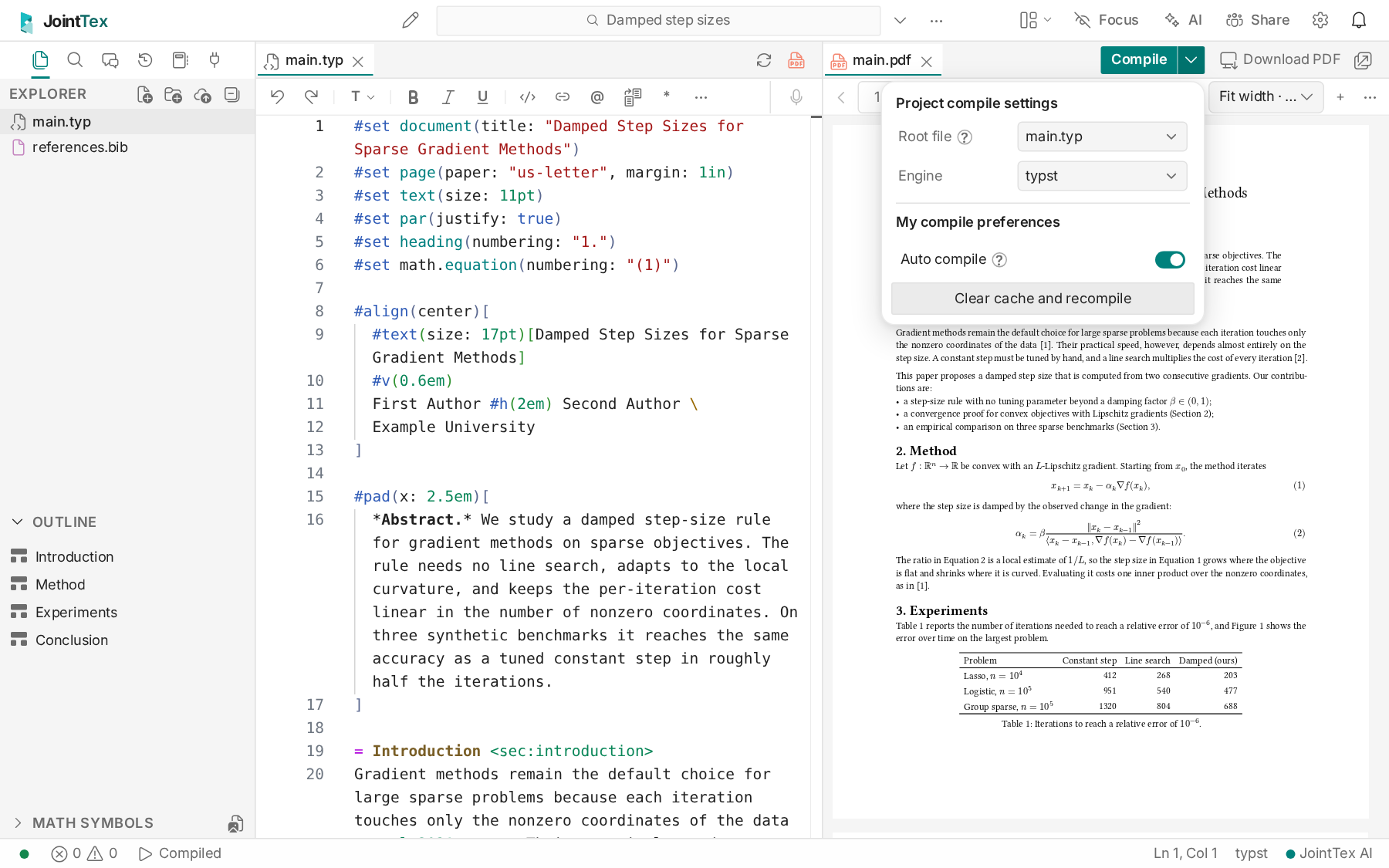
The PDF follows your typing
Typst runs in the page itself, so the preview updates a moment after you stop typing, with no compile button. Double-click the PDF to jump to the source, and download or print a PDF compiled on the server with the same Typst version.
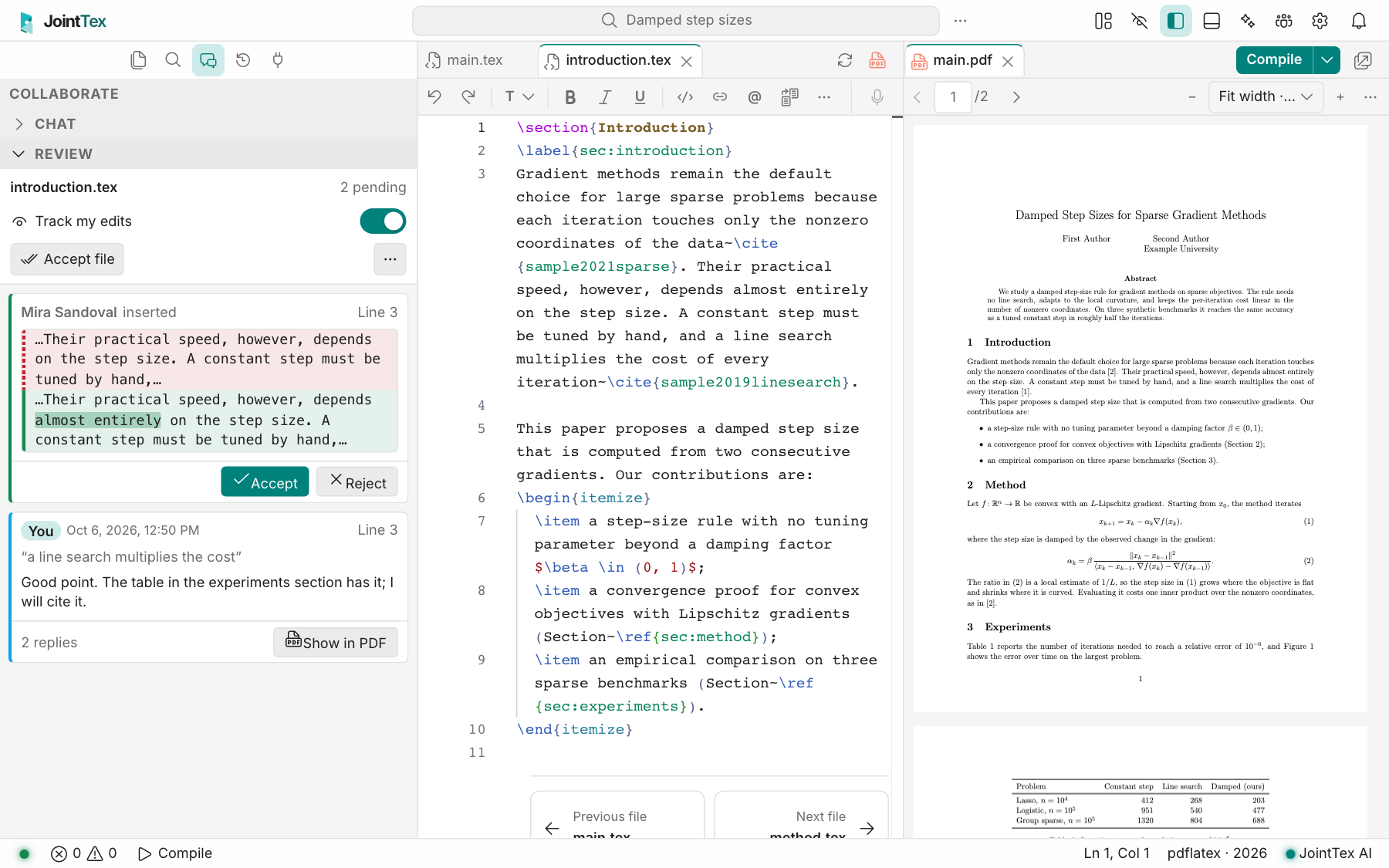
Suggestions your co-authors accept or reject
Turn on Track my edits and your changes to a .typ file arrive as suggestions. Comments sit beside the text; History keeps every version and draws a marked-up PDF between any two of them.
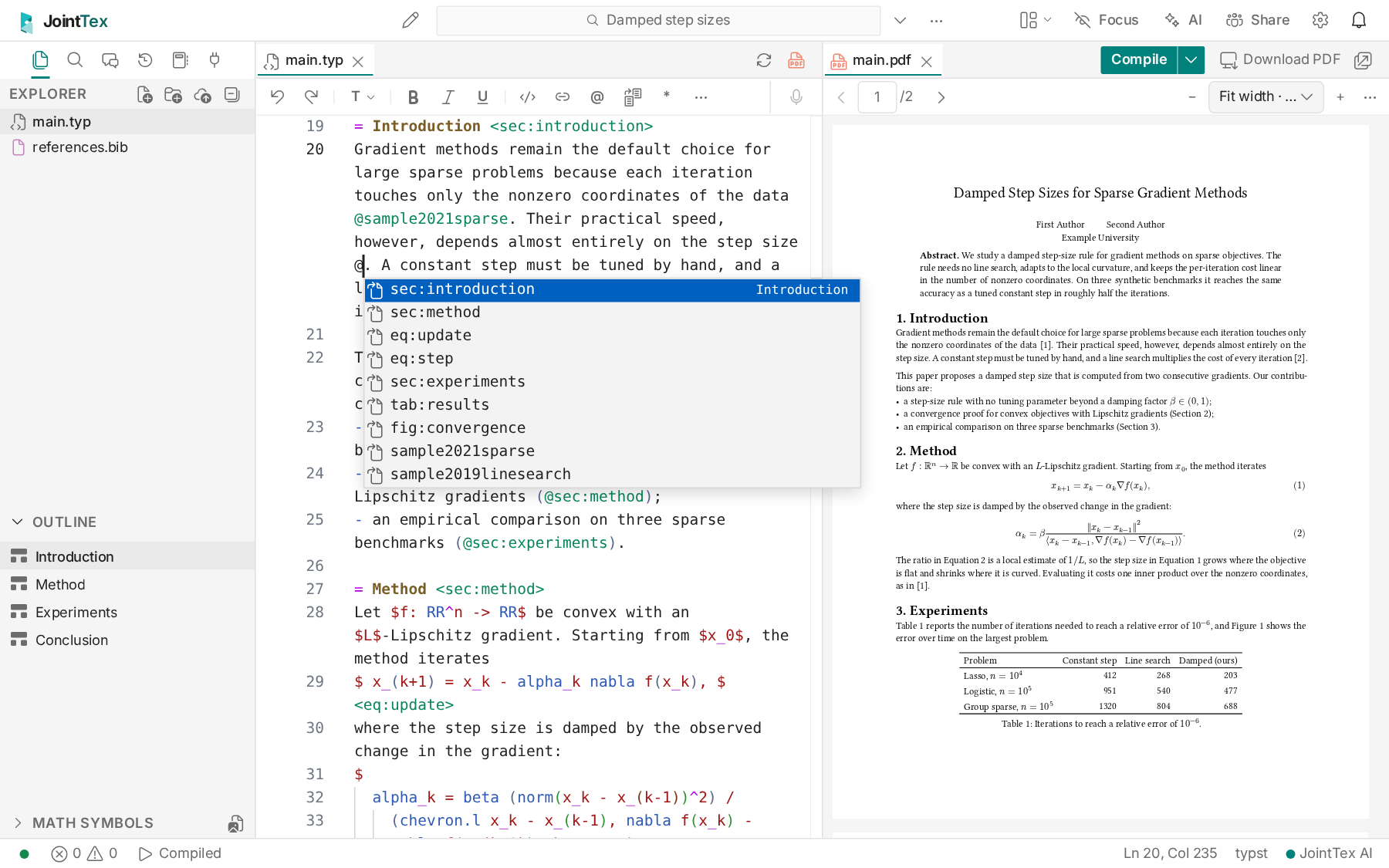
Labels and citations that are checked as you write
Type @ for your labels and citation keys from .bib or Hayagriva files. A reference to a label that does not exist is underlined at once, with the closest real one offered as a fix, and renaming a label updates every reference to it.
Start a Typst project, or bring one in
- Choose New project and pick Typst, or start from a Typst template.
- To bring a project from the Typst web app, download it as a .zip there, then open the arrow beside New project here and choose Import from files.
- A Word or Markdown draft can be imported as a Typst project, and a project can hold LaTeX and Typst files side by side.
When the Typst web app is the better choice
- You want each new Typst release the day it ships. JointTex moves to a new Typst version after testing it.
- You need Typst's own presentation mode or private packages, which are part of Typst Pro.
- You write alone and do not need review tools; the Typst web app is made by the people who make Typst.
Questions
Do Typst Universe packages work?
Yes. Import them with #import "@preview/name:version" as anywhere else.
Can I mix LaTeX and Typst?
Yes. A project can hold both; its root file decides which one compiles, and Project settings changes the root.
Does the AI write Typst?
Yes. In a Typst project the agent writes Typst, and its edits are tracked changes like a co-author's.
Is it free?
Typst editing, compiling, real-time collaboration, comments, tracked changes and history are all on the free plan.