
JointTex vs Overleaf
An Overleaf alternative that keeps the whole paper on the free plan
JointTex is an online LaTeX and Typst editor for research teams. Compared with Overleaf's free plan: three-minute compiles, tracked changes, full history, offline editing and an AI coauthor whose edits you review.
Overleaf made writing LaTeX together in a browser normal, and most people who look for an alternative are not unhappy with the idea. They hit a limit: a thesis that stops compiling after ten seconds, a co-author who cannot see what changed yesterday, a second collaborator the free plan will not take.
JointTex works the way Overleaf does, in the browser with the source beside the PDF, so moving over takes a ZIP upload. What differs is where the limits are. This page sets the two free plans side by side, says where Overleaf is still the better choice, and shows how to bring a project across.
| JointTex Free | Overleaf Free | |
|---|---|---|
| Compile time limit | 180 seconds, the same on every plan | 10 seconds (240 seconds on paid plans) |
| People per project | 3, counting the owner | The owner and 1 collaborator |
| Tracked changes | Included | Paid plans only |
| Version history | Full history, with named milestones | The previous 24 hours |
| AI | An agent that edits the project, its changes tracked for you to accept or reject; 100 chat requests a month | 5 AI uses a day, without the AI assistant |
| Typst | Typst projects, compiled in the browser as you type | LaTeX only |
| Offline | Projects open and edit without a connection and sync when you are back; the desktop app compiles offline with your own TeX | The file you have open, for a few minutes, without compiling |
| Git and GitHub | Paid plans (Education, Plus, Pro) | Paid plans |
What this page says about other products was checked on November 22, 2026 against Overleaf plans, Overleaf plan limits and Overleaf: working offline. They change their plans; their own pages have the final word.
A compile limit you will not hit on a long document
Every compile on every JointTex plan may run for three minutes. A thesis with a hundred figures, a TikZ-heavy chapter or a long bibliography compiles on the free plan, where Overleaf's free compile stops at ten seconds.
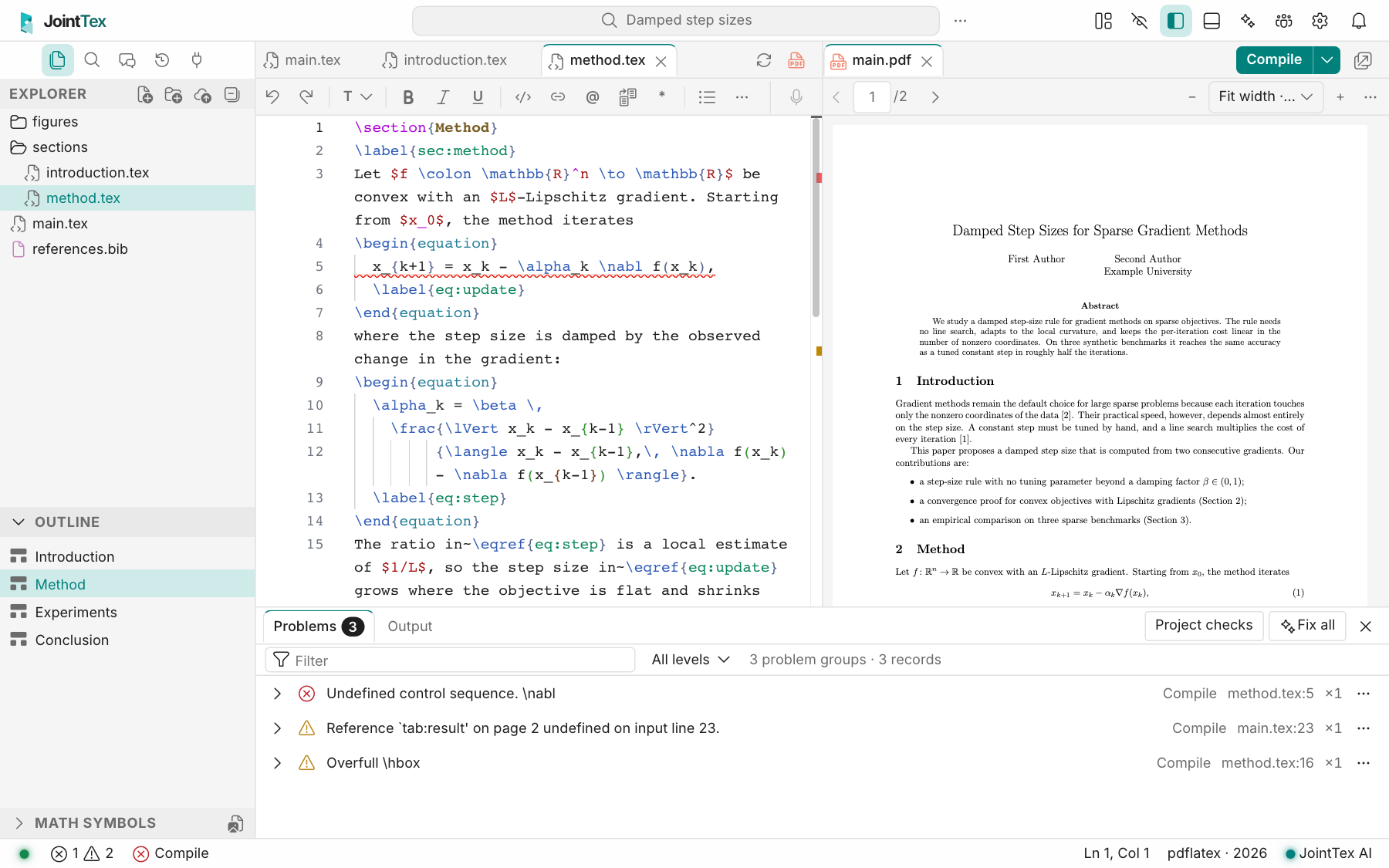
When a build fails, the errors are listed under the editor and underlined in the source. Ask the AI to explain or fix one error, or choose Fix all to have it fix every error it can.
See what your co-authors changed, on every plan
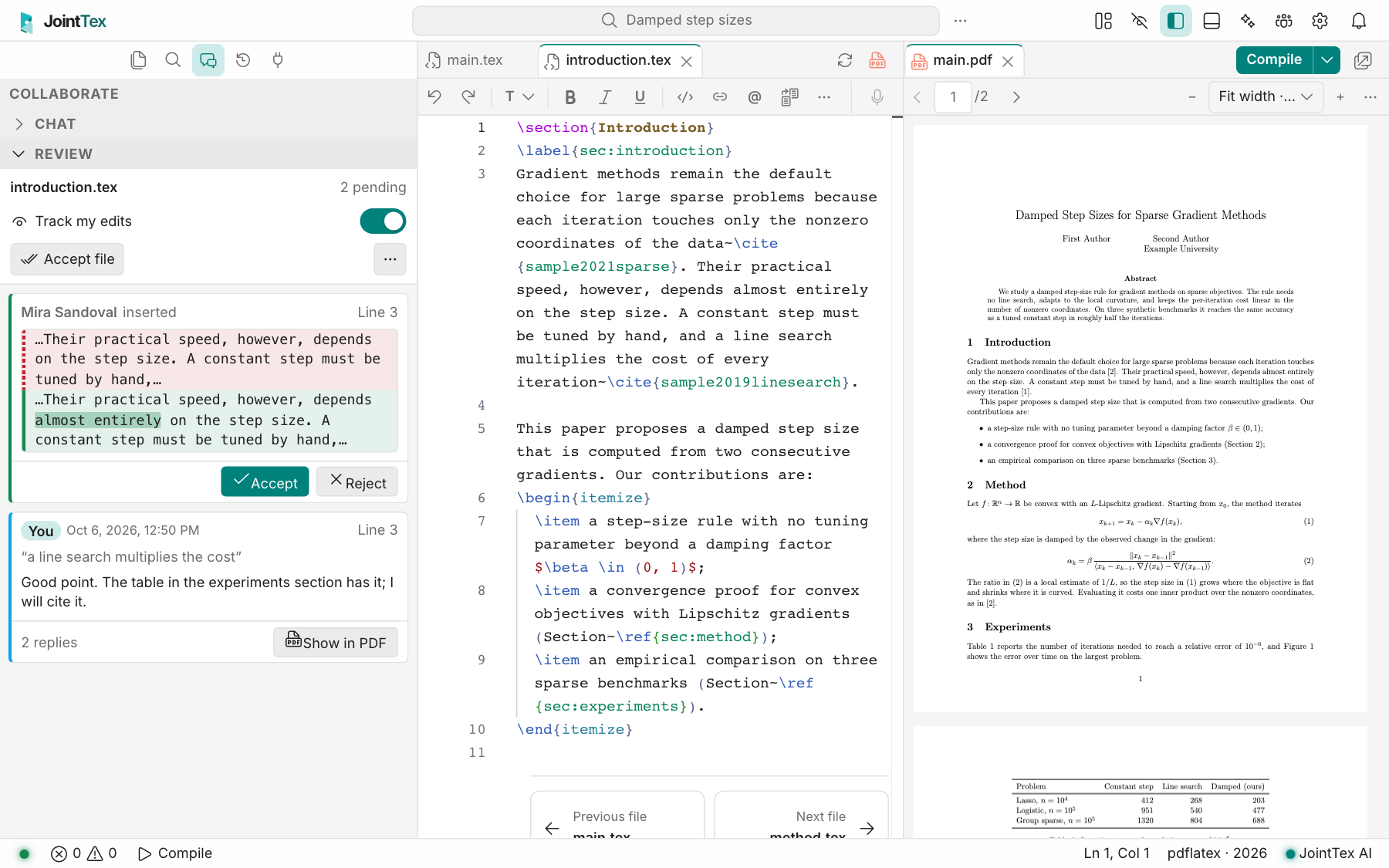
Turn on Track my edits and your changes arrive as suggestions your co-authors accept or reject, one by one or a file at a time. Comments sit beside the text they are about, and the PDF shows where each thread is.
History keeps every version, not the last day. Name a milestone (the submitted draft, the camera-ready), and generate a marked-up PDF between any two versions to send to a supervisor or a reviewer.
Keep writing when the connection drops
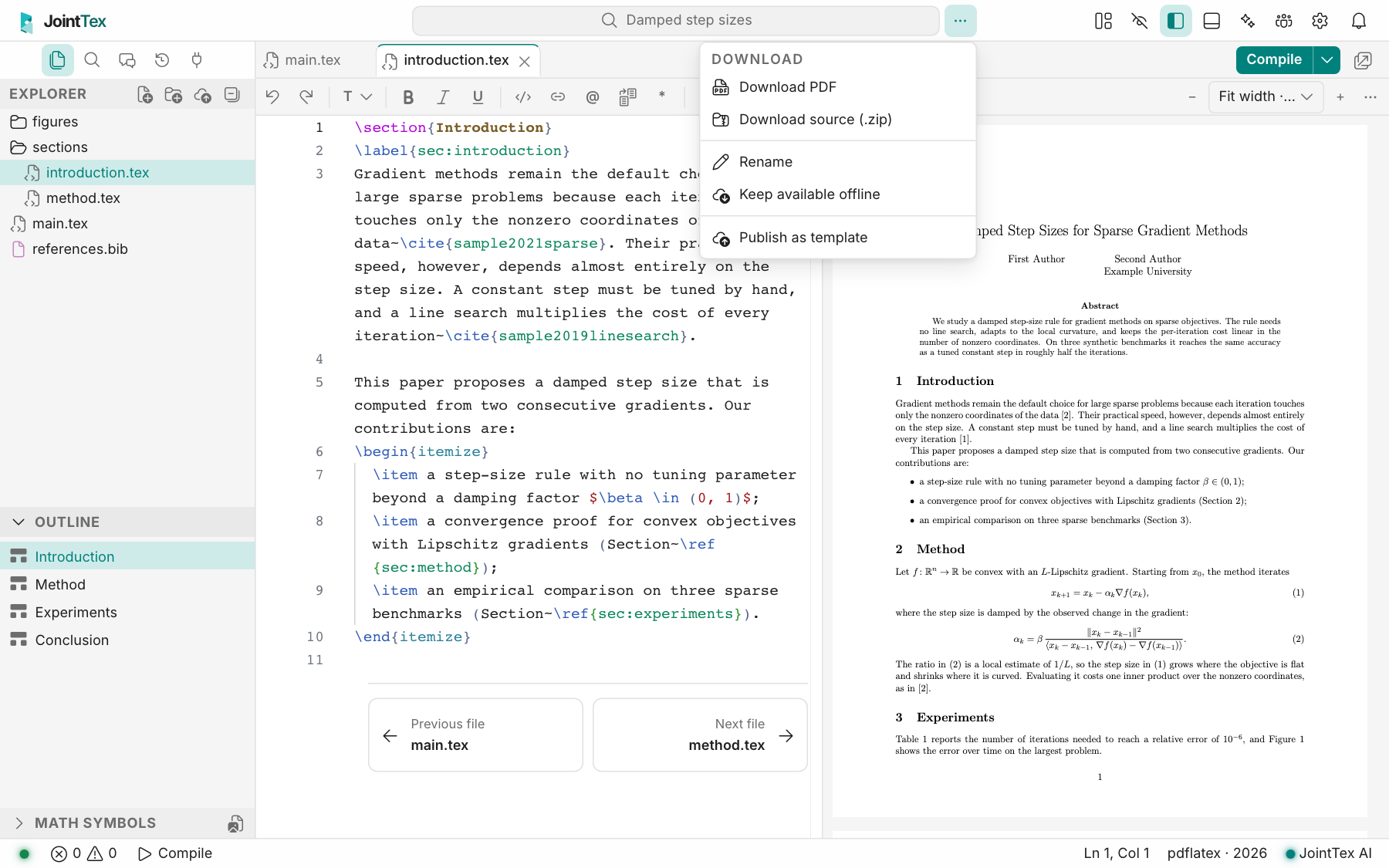
Losing the connection does not stop you writing: your edits are kept in the browser and merge with your co-authors' when you are back. Keep a project available offline before you travel and its files and last PDF come with you. The desktop app for macOS, Windows and Linux compiles with the TeX installed on your own computer, with or without a connection.
Move a project from Overleaf
- In Overleaf, download the project's source as a .zip.
- In JointTex, open the arrow beside New project, choose Import from files and pick that .zip (up to 100 MB; several at once if you have several projects). The main .tex file is found for you; change it in Project settings if the guess is wrong.
- Compile. JointTex picks pdfLaTeX, or XeLaTeX when the project loads a package that needs it; for LuaLaTeX pick it in the compile menu beside Compile, or start the main file with
% !TEX program = lualatex. TeX Live 2024, 2025 and 2026 are offered. - Invite your co-authors from Share. A tutorial or course page with an Open in Overleaf button can send its examples to JointTex instead by changing the form's address.
When Overleaf is the better choice
- Your journal or conference submits straight from Overleaf. Overleaf has direct submission to many publishers; JointTex exports a PDF, the source, Word, or an arXiv package, which you then upload yourself.
- You rely on Overleaf's template gallery. It is far larger than JointTex's; any template still works once you upload its files.
- Your co-authors edit only in Overleaf's Visual Editor. JointTex's visual editing is for Markdown files; LaTeX is edited as source.
- Your institution already pays for Overleaf with single sign-on for everyone.
Questions
Is JointTex free?
Yes. The free plan includes writing, compiling, templates, real-time collaboration, tracked changes, full history and a monthly AI allowance. Education, Plus and Pro add more people per project, more AI, and Git, GitHub and WebDAV sync and a Zotero library.
Will my Overleaf project compile the same way?
JointTex compiles with latexmk and a full TeX Live, as Overleaf does, so a project that compiles there usually compiles here unchanged. If it does not, the Problems list names the line, and the AI can explain or fix the error.
Can I keep using Git?
On a paid plan, every project is a Git repository you can clone and push to, and a project can also sync with a GitHub repository or a WebDAV folder.
Who can see my project?
The people you invite, and anyone you send one of its share links to (a link can edit, comment or view). Opening a project needs a JointTex account, so every comment and change has a name on it, and you can remove a member or turn a link off.