
AI LaTeX editor
An AI coauthor that edits your LaTeX, and shows you every change
JointTex is a LaTeX and Typst editor with an AI agent that reads the whole project, edits it as tracked changes you accept or reject, fixes compile errors and checks your references against Crossref and arXiv.
Pasting a paragraph into a chat window and pasting the answer back works for one paragraph. It does not work for a paper: the model cannot see your macros, your other chapters or your bibliography, and nobody can tell afterwards which sentences it rewrote.
In JointTex the AI works inside the project. It reads the files it needs, edits them in place, and every edit arrives as a tracked change with the AI's name on it, for you and your co-authors to accept or reject like anyone else's.
| What happens | |
|---|---|
| Edit across files | Ask for a change in plain words; the agent finds the files, edits them, and compiles to check |
| Review every change | With Track review on, each edit is a tracked change you accept or reject one by one; History can restore any earlier version |
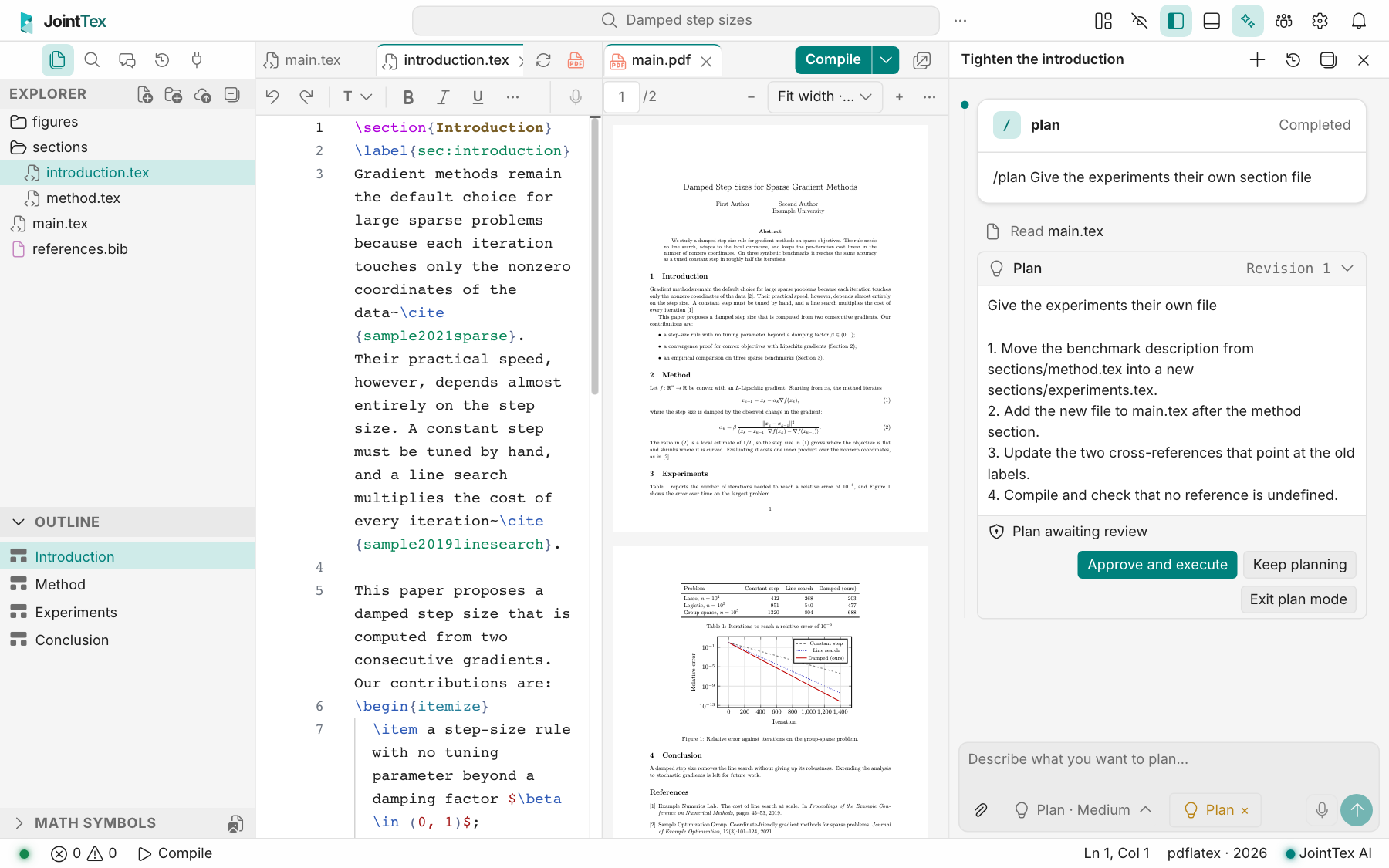
| Plan before it writes | Plan mode drafts the steps first and waits for you to approve them |
| Ask before it acts | Ask approval makes it stop before each edit until you say yes |
| Fix compile errors | Explain or fix one error, or Fix all to have it fix every error it can |
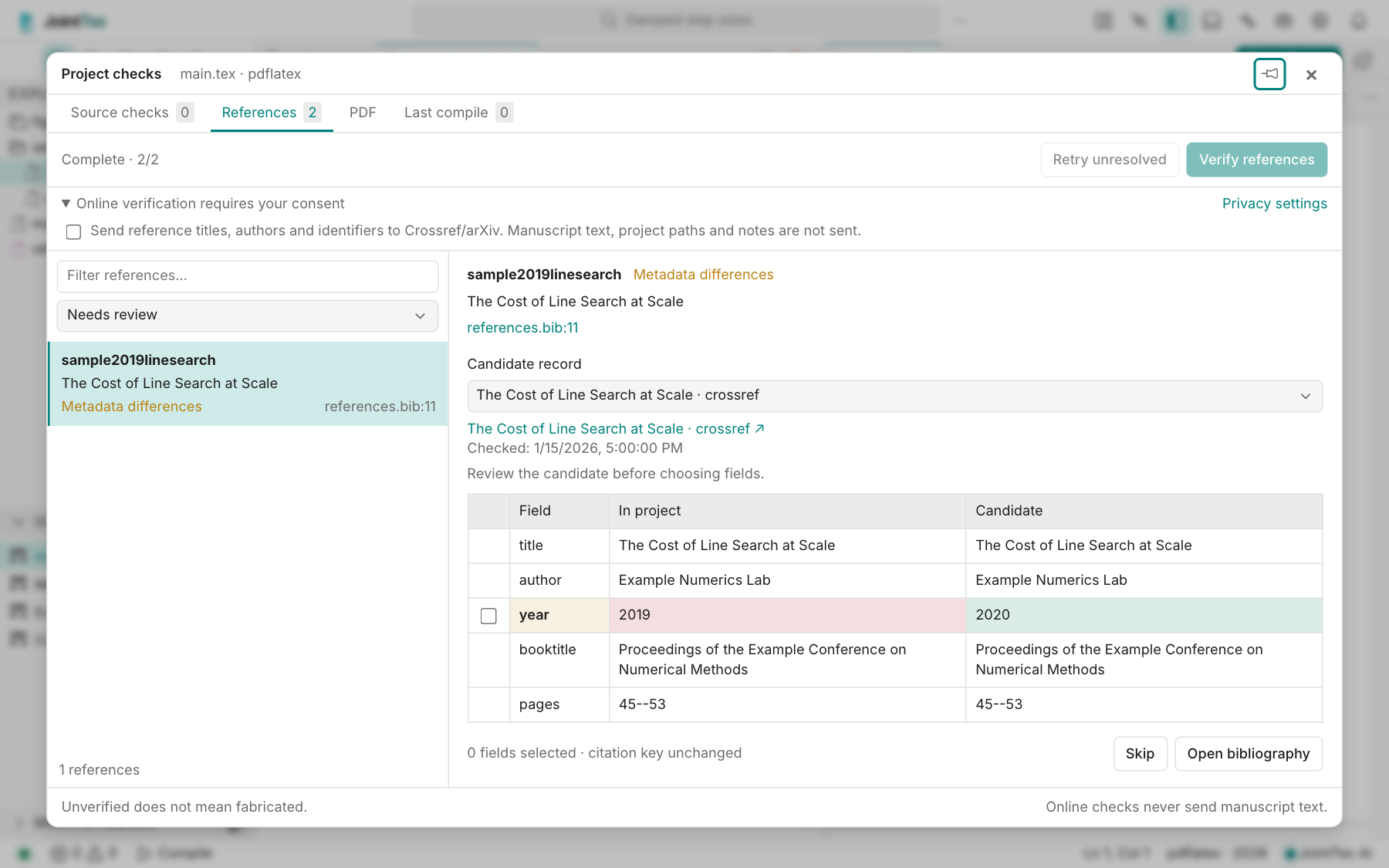
| Check references | Project checks compare your bibliography with Crossref and arXiv and flag entries that do not match |
| Inline help | Autocomplete as you type, and quick edits on a selection with a preview before it applies |
| LaTeX and Typst | The same agent writes Typst in a Typst project |
What this page says about other products was checked on November 22, 2026 against OpenAI: Introducing Prism (with the shutdown notice). They change their plans; their own pages have the final word.
Every change is yours to keep or discard
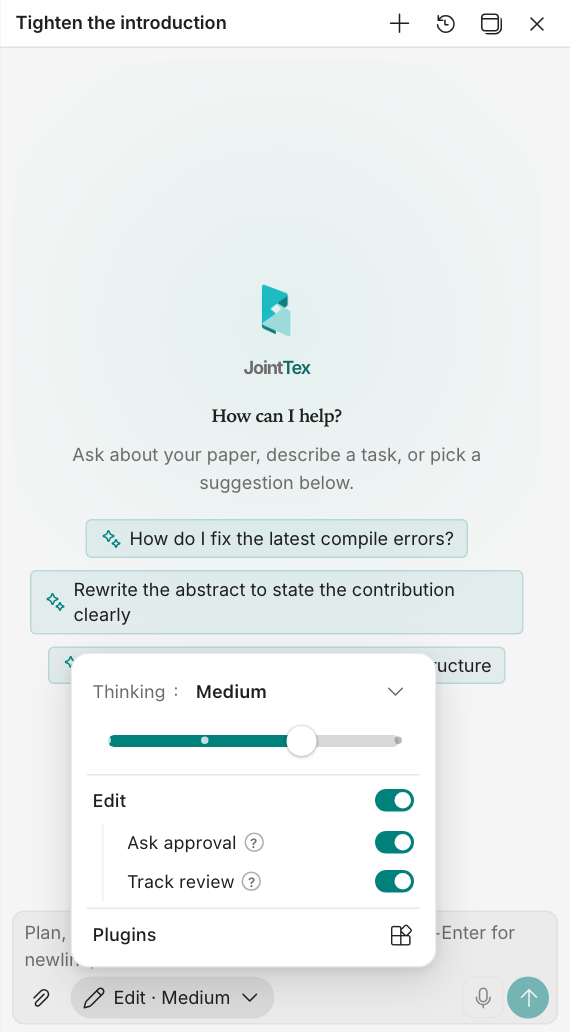
Leave Track review on and the session's edits land in Review, marked as the AI's, beside your co-authors' suggestions. Accept the ones you want, reject the rest. Turn Edit off and the AI only reads and answers.
A plan you approve before anything is written
For a larger change (restructure a section, switch a table to booktabs everywhere, move to a new template) ask for a plan. The AI sets out its steps and waits; approve them, ask for another revision, or stop there.
References that exist, with the right year
Project checks look up the references you cite and show where your fields differ from Crossref or arXiv: a wrong year, a misspelled author, a DOI that points elsewhere. The citation browser searches the project and Crossref when you need a new one, and on a paid plan your Zotero library and past projects too.
Coming from Prism
- OpenAI has announced that Prism shuts down on January 1, 2027. Export each project from Prism before then.
- In JointTex, open the arrow beside New project, choose Import from files and pick the exported .zip. The main file is found for you.
- Compile, invite your co-authors, and open the AI panel to carry on where you left off.
When something else fits better
- You want unlimited AI for free. JointTex's free plan has 100 chat requests a month; heavy daily use needs Plus or Pro.
- You write alone and only want a chat assistant. A general chat app answers questions about LaTeX without a project around it.
- Your text must never be sent to a model provider. The AI features send the context of each request to the configured provider; leave them unused and nothing is sent.
Questions
Does the AI change my document without asking?
Only if you let it. With Track review on, every edit is a tracked change you can reject. With Ask approval on, it stops before each edit. With Edit off, it cannot change files at all.
Can my co-authors see what the AI wrote?
Yes. Its tracked changes appear in Review for everyone on the project, and History records them like any other edit.
Is the AI included on the free plan?
Yes: 100 chat requests a month, 2,000 autocomplete suggestions and 20 formula recognitions. Paid plans raise the chat allowance and make autocomplete unlimited.